ViSi Remote
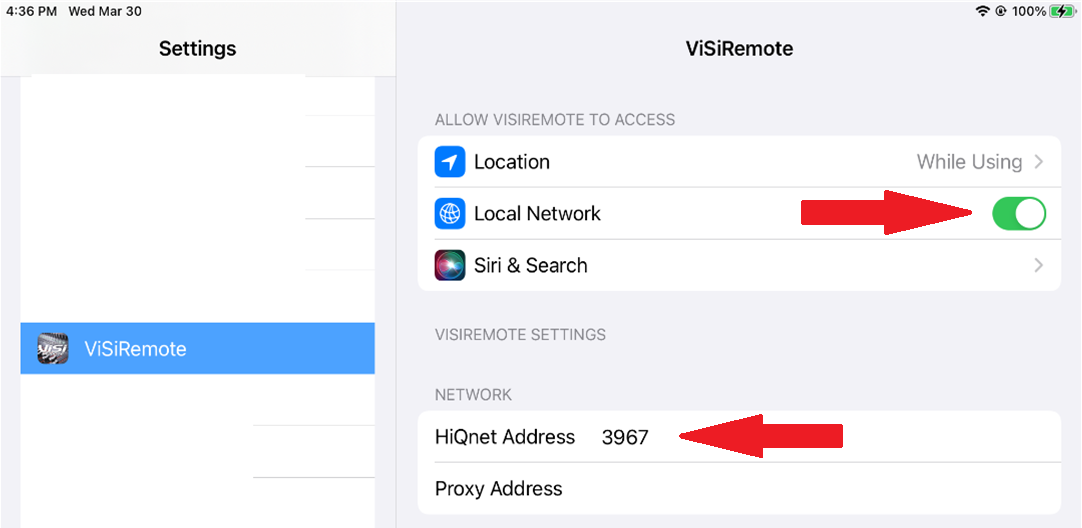
iPad update 15.4 can set the HiQnet address of the ViSi Remote app to 0 and disable network connectivity. If you are experiencing a loss of connectivity after an iOS update, make sure to check your apps HiQnet address under the iOS Settings / ViSi remote.
HiQnet Addresses must be between 1 and 65534. Any other address will not work. Any duplicate addresses will cause a conflict resulting in communication issues. Make sure all HiQnet devices [AKG, BSS, Crown, JBL & Soundcraft] and apps have unique ID’s.
Local Network needs to be ENABLED for the app to connect to the iOS devices network.