UPDATE: Portrait oriented panel files cannot be converted.
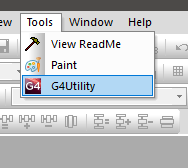
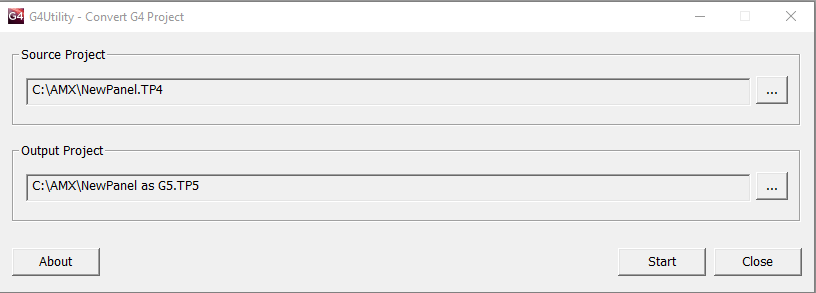
The G4 utility in TPDesign5 will only convert from G4 Modero
X and S series touch panels (MX* or MS*). There is an extra step in the process
to convert from an MVP or NXx series panel.
If you do not have TPDesign4 and/or TPDesign5, please download and
install. TPDesign4 and 5 will coexist and can run simultaneously. Within
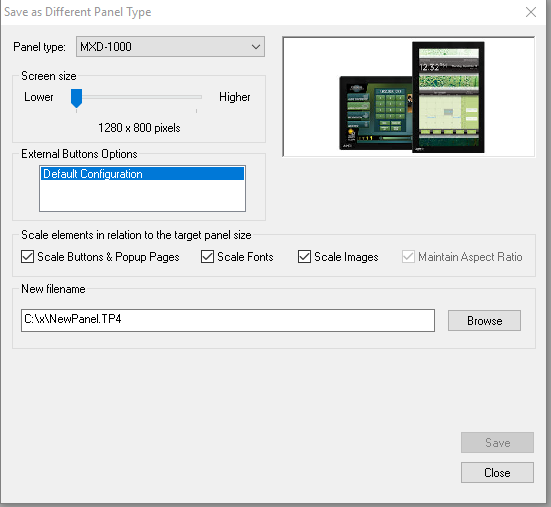
TPDesign4 open the original panel, then 'Save As Different Panel Type.' Select a MX* or MS* panel type, determine
scaling options, create new file name and save.
If there is any confusion as to which panel to save-as just select
MXD-1000 every time. First verify the
newly converted panel file is satisfactory within TPDesign4. Afterward, exit TPDesign4 or at least close
the panel file. Open TPDesign5 and convert to G5 with the G4 Utility.
In TPDesign4:

In TPDesign5: